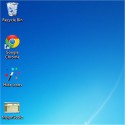
With this small tool you can keep your desktop clean without deleting all shortcuts and folders you have there.
You only have to download and run it. You don't even have to copy it to the desktop, because it will do it automatically.
Each time you double-click it, it will hide or display, depending on current state, all desktop shortcuts, files and folders on the desktop.
However, it wont hide system icons like the computer or recycle bin icons.
This "magic wand" will always be visible on your desktop, and will change its name each time it runs.
If the desktop icons are visible, its name will be Hide icons, and when they're hidden, it will be Show icons.
Note that SHIcon will not delete any files. It will just change their hidden attributes.
When running in Windows Vista/7 SHIcon will need administrator rights to hide files in the public/common desktop folders.
So, if some icons were not hidden, try running SHIcon as administrator. SHIcon 1.3.0.0 Download CarifredTotal downloaded program :1DesktopDifferent Tags: SHIcon download, , Editor's rating out of 5 stars (5) So what do you think?