
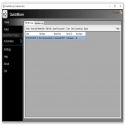
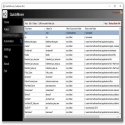
QuickMove is a rules-based file mover that learns where to move your files based on your initial decision.
It will also present a list of favorite destination folders for files that don't fall into any strict categories. How? Right-click a file and select QuickMove. If QuickMove doesn't have a matching rule from past actions, it opens the Rules Wizard and helps you create a rule before moving the file. The next time you select such a file for "quick action", the rule will be applied without prompting.
Always cut and paste the same type of Files into the same Folders?
Are you always navigating deep Folder structures to archive the same type of Files?
Do you want to "right click" a File and see it automatically moved according to learned Rules?
Would you like to be prompted for a list of your favorite destination Folders?
QuickMove Has The Solution!
QuickMove 3.5.2.0 Download
CodeLineTotal downloaded program :0 Tools Different
Tags: , fast file transfer, Editor's rating out of 5 stars (5) So what do you think?


