
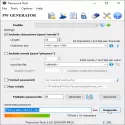
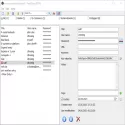
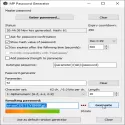
Professional password generator and password manager with full Unicode support, formerly known as PWGen for Windows. 100% free and open source.
Passwords are found almost everywhere in the digital world. When you create a user account for a website, you need a secure password.
When you need to change your computer or network login password, you need a secure password. You should also use a secure password, while protecting personal data and private communications with strong encryption.
Password Tech is a Windows application that can help you generate secure passwords and generally all kinds of secure keys for access control and data protection. For this purpose, it uses a cryptographically secure pseudo-random number generator based on strong cryptographic algorithms: Random number generation via the one-way hash function SHA-256 and the encryption algorithm Advanced Encryption Standard (AES) or a combination of ChaCha20/ChaCha8 with a 256-bit key. Entropy accumulation by collecting variable system parameters and using indefinite timing from user input such as keystrokes, mouse clicks and mouse movements. Password Tech can generate a wide variety of passwords and passwords, which can be completely random characters or words or follow certain rules for easier memorization: Passwords consisting of random characters from a character set. Passwords consisting of random words from a word list. Phonetic (pronounceable) ciphers based on language-specific trigram (3-letter) frequencies. Passwords based on user-defined patterns (formatted passwords) that use various placeholders for different character sets. Executing Lua scripts with a programming interface to Password Tech gives full control over the password generation process. Simultaneous generation of large amounts of passwords that can be viewed in a window, stored in a file, or output to a console. Full Unicode support in the entire app. Unicode encodings of UTF-8 and UTF-16 (both LE and BE) are supported (conversion to non-Unicode ANSI character encoding is also possible if Unicode is not required).
Password Tech 3.4.3 Download
Christian ThöingTotal downloaded program :4 Tools Tools Securty
Tags: , secure password generator, strong password generator, Editor's rating out of 5 stars (5) So what do you think?


