

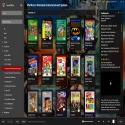

LaunchBox is a comprehensive application that allows you to organize your game library in a central location.
You can view and manage your games from Steam, Origin and other gaming platforms in one place. This app allows you to easily see both your installed games and the games you have that are not installed.
Keep Your Library Organized
With LaunchBox, you can easily organize the games in your library. You can see which games are installed, your Steam games, games you play with emulators, DOS games and games from other platforms on a single screen. In this way, you can clearly follow the status of your games.
Add Games Easily
When you add new games, you can add them to your library using LaunchBox's user-friendly adding wizard. This wizard can often detect new games automatically. However, if you have problems with automatic detection, you can also add games manually. During the manual adding process, you must enter information such as game title, developer, location on your computer, and game version. Some information may be filled in automatically.
Emulators and Modern Game Support
Another important feature that LaunchBox offers is emulator support. In this way, you can easily add and manage emulated games such as DOS games. It can integrate with various emulators such as DOSBox, ScummVM and Windows games. Thanks to this integration, you can also access the information of the games you play with emulators.
Database and Information Access
LaunchBox provides access to detailed information about games and emulators. Thanks to the database within the application, you can always access the necessary information about your games. This feature helps you manage your game library more efficiently.
LaunchBox 13.16 Download
Unbroken Software, LLCTotal downloaded program :0 Game Similasion
Tags: , Manage your games from a single center, Editor's rating out of 5 stars (5) So what do you think?


