
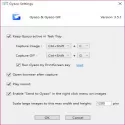
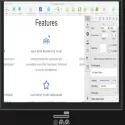
Gyazo lets you take a quick snapshot of your screen, allowing you to select an area of your screen that you want to screenshot and then share it with your friends easily and quickly.
Take Screenshots With Ease.
Today, it's getting easier and easier to share your screen. While many screen sharing apps are out there, screenshots remain the most popular way to share your screen with others.
And when you do, you'll make your life easier when you download an app that does most of the heavy lifting for you.
With Gyazo, you can take a screenshot of your screen by dragging your mouse over an area you want to capture, and then instantly take a picture.
The process is simple and easy and takes away the hard work of pressing various buttons at once to take a screenshot and then edit it.
Select Screenshot with Your Mouse
The main way to use this application is with your mouse. In the main window, you will be able to select the area of the screen you want to take a picture of with your mouse.
You'll have to drag your mouse over an area you want to take a screenshot of, and the app will do the rest for you. This is great because you won't have to crop your screenshot later.
Then you will be able to easily share this screenshot with your friends or on the internet. This is because the app will automatically load the image if you instruct it.
You can choose where you want to upload this image and you can do it in a few seconds.
Gyazo 5.6.4 Download
NOTATotal downloaded program :9 Desktop Different
Tags: , Screen Capture Program, Editor's rating out of 5 stars (5) So what do you think?


