
Samsung Flow
pairing samsung smart devices
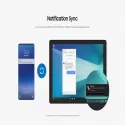
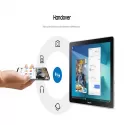
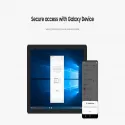
Samsung Flow is a software product that offers a seamless and secure connection experience between your devices.
You can authenticate your tablet / PC with your smartphone, share content between devices, sync notifications from your smartphone to your Tablet / PC, or view your content. You can open your smartphone's Mobile Hotspot to keep your tablet / PC connected.
If you sign up for Samsung Pass, you can also sign in with your biometric data (Iris, Fingerprints) on your Tablet / PC.
The following devices support Samsung Flow:
1.Windows Tablet / PC: Windows 10 OS Creators update (V1703) and June patch build (15063.413)
(Galaxy TabPro S, Galaxy Book, Galaxy Book2, Galaxy Book S, PC)
2.Android Tablet: Android N Operating System or a later version
3.Android Phone: Android N Operating System or higher
May not be supported by some models depending on smartphone specifications.
- Samsung Flow only works on software officially released by Samsung Electronics.
- Windows: Bluetooth (Bluetooth LE optional) or Wi-Fi / LAN, Wi-Fi direct
Windows 10 users can find the Samsung Flow app in the Windows App Store.
Go to the Samsung Flow web page where you can find the setup guide www.samsung.com/samsungflow
If you haven't updated the Samsung Flow app to the latest version, please visit the Windows Store> Menu> Downloads and Updates menu to update the app.
Samsung Electronics Co, LtdTotal downloaded program :109 internet Communication
Tags: , pairing samsung smart devices,


SMSClient
SMSClient download
Call Corder
SMSClient downloadFaxNow!
SMSClient downloadVoipStunt
SMSClient download