



Video Downloader for Facebook is the easiest Video Downloader app designed specifically to help you download videos from Facebook using different methods, it allows you to download videos from Faceboook.
Facebook Video Download is an application that protects your privacy and allows you to browse your Facebook account through a secure built-in browser and find the videos you want to save on your device. You can watch these videos later from the gallery or share them with your friends with the help of different applications.
New: You can now save your videos from Facebook to your gallery using a video link/URL, copy and paste the video link/URL and start downloading the video without logging in, no login required!
How to use:
Method 1 (Download your video from Facebook using the built-in browser):
1. Click Browse Facebook
2. Log in and browse your wall.
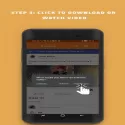
3. Click on the video you want to download.
4. Click the Download button to save it to your device.
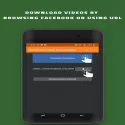
Method 2 (Download your video from Facebook using the video link/URL without logging into your account):
1- Copy the video link/URL.
2- Paste it inside the app.
3- Click the Download button.
Method 3 (Download the video you chose by sharing it with our app via Facebook):
1- Share the video of your choice from the Facebook application.
2- Select "Facebook Video Download" app
Video Downloader for Facebook 4.8.0.2.3 Download
Rimal: Video Downloader for FacebookTotal downloaded program :6 mobil android -Tools
Tags: Facebook Video İndir download, , video download application from facebook, Download Video From Facebook, Editor's rating out of 5 stars (5) So what do you think?


