

Download Tango Desktop – Wirelessly manage Android devices from your computer.
Tango Desktop is a lightweight and convenient desktop application developed for connecting Android phones and tablets to a computer and managing them via ADB. Its ability to establish wireless connections without using USB cables, automatically detect connected devices, and work seamlessly with various Android development tools offers users a practical solution.
Tango facilitates communication between Android devices and computers via ADB (Android Debug Bridge) technology. The desktop application relays the ADB connection from the computer to Tango's web interface, helping to manage Android devices through the browser. This allows you to establish a connection between your phone and computer without dealing with complex connection procedures.
Tango Desktop Features
Wireless Android Connection
One of Tango Desktop's standout features is its ability to connect to Android devices without a USB cable. By connecting via Wi-Fi, you can manage your phone from your computer. This is a particularly useful feature for users who frequently work with Android devices, eliminating the need for cables.
Automatic Device Detection
You don't need to manually identify each Android device connected to your computer. Tango can automatically detect devices connected via USB and Wi-Fi. Its compatibility with Android emulators also makes it more useful for software developers.
Compatibility with ADB Vehicles
Tango Desktop is designed to be used alongside other ADB-based tools. It provides a compatible working environment for those using Android development and device management tools such as Android Studio and Scrcpy.
Lightweight and Practical to Use
Designed to operate without consuming unnecessary system resources, Tango Desktop is a simple utility application that runs in the computer's system tray. Instead of a complex desktop interface, it handles connection processes in the background.
Usage with Different Browsers
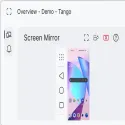
Tango Desktop helps you use the Tango web application even in some browsers that don't support the necessary WebUSB features. This provides greater flexibility in terms of browser compatibility. However, some features, such as screen mirroring, depend on the browser's technical support.
How to use Tango Desktop?
To connect your Android device to your computer using Tango Desktop, you first need to download the version of the application compatible with your computer.
Download and install Tango Desktop on your computer.
Enable Developer Options on your Android phone.
Turn on USB debugging or wireless debugging.
Connect your phone to your computer via USB or Wi-Fi.
Approve the ADB connection permission request displayed on your device.
Start managing your connected device by opening the Tango web app in your browser.
Once connected, you can utilize the supported Android device management tools via Tango's web interface.
Which operating systems does Tango Desktop support?
Tango Desktop offers separate download options for different operating systems:
Windows: 32-bit and 64-bit versions for Windows 10 and later operating systems.
Linux: 64-bit x86 version requiring glibc 2.17 or later. Desktop environment with libappindicator support is required.
macOS: Intel, ARM, and Universal versions for macOS 10.12 and later.
Who should use Tango Desktop?
Tango Desktop can be beneficial for users who want to manage their Android phones and tablets from a computer, mobile application developers, those working with Android emulators, and technical users who use ADB tools.
Features like wireless connectivity and automatic device detection, in particular, can make things easier for users who work with multiple Android devices.
Conclusion: Tango Desktop is a helpful application that simplifies the connection between Android devices and computers, notable for its lightweight design and wireless support. It's a tool worth considering for those seeking a practical connection solution for Android device management and development.
Tango Desktop 0.3.0 Download
Tango ADB.Total downloaded program :0 Web Practice
Tags: , Android device management, ADB program, Android wireless connection, Editor's rating out of 5 stars (5) So what do you think?


