

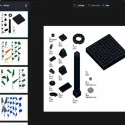
Developed for LEGO enthusiasts and professional designers, BrickLink Stud.io (popularly known as Studio) is a free and advanced digital design program that lets you bring your dream LEGO models to life on a computer. The official successor to the former LEGO Digital Designer (LDD), Stud.io is a leader in the virtual LEGO world with its massive part library and modern tools.
If you too want to break down physical limitations and build your own LEGO masterpieces with unlimited piece and color options, you can take your creativity to the next level with the latest version of Stud.io.
Unlike ordinary 3D modeling programs, this software, completely optimized for the LEGO ecosystem, offers users the following advanced features:
Comprehensive LEGO Piece Catalog: Features a massive, regularly updated library containing virtually all LEGO pieces and color variations ever produced.
Eyesight Photorealistic Rendering Engine: Transform your virtual models into lifelike photographs thanks to the built-in rendering engine. Light, shadow, and plastic reflections are rendered perfectly.
Step-by-Step Instruction Maker: By schematizing the building stages of your custom-built (MOC) designs, you can create professional-looking instruction manuals, just like those included in original LEGO boxes.
BrickLink Marketplace Integration: Instantly check the availability and cost of parts used in your design, and add them directly to your Wanted List for physical purchase.
Importing Old Projects: Easily import your old LEGO Digital Designer (.lxf) files or other LEGO CAD formats into Stud.io to continue where you left off.
Like any software, Studio has its own strengths and some points to consider:
Advantages:
100% free and ad-free to use.
Official LEGO support and a constantly updated parts archive.
Easy sharing with the community thanks to the build guide creation tool.
High-quality integrated rendering system for realistic visual output.
Disadvantages:
Large projects with many details and thousands of components may require powerful computer hardware (RAM and graphics card) to achieve high-quality renders.
Due to the numerous professional tools offered by the interface, a short learning curve may be required for beginners.
1. Is Stud.io a paid program? No, the program is completely free. You can use all its features without any restrictions or hidden subscription fees.
2. Can I bring my LEGO models to life? Yes. Thanks to the program's BrickLink integration, you can list all the parts you used in your design with a single click and physically build them by ordering them from stores that sell them.
If you want to push the boundaries of your imagination and build your own LEGO city in the digital world, you can download Stud.io safely and quickly from our website.
Stud.io Stud.io 2.26.6_1 Download
LEGO GroupTotal downloaded program :0 Graphic Multimedia Modeling 3D etc
Tags: , Free Digital LEGO Design Program, The most advanced free 3D LEGO modeling program, Make your own LEGO DESIGNS, Editor's rating out of 5 stars (5) So what do you think?