

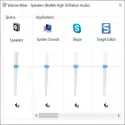
With Realtek High Definition Audio Driver, you install the driver of the sound card on your computer. In this way, you will get full efficiency from the sound card. However, you may need to refer to the motherboard's instructions for the original software on your audio product as it may contain more customization settings than the standard presented here.
The installation procedure is simple, but a system reboot may be required for the hardware to function properly.
Realtek High Definition Audio Driver features and benefits:
Supports the following chipsets in Windows 8, Windows 7 and Windows Vista: ALC882, ALC883, ALC885, ALC886, ALC887, ALC888, ALC889, ALC892, ALC899, ALC861VD, ALC900, ALC660, ALC662, ALC663, ALC665, ALC668, ALC2 . , ALC676, ALC680, ALC221, ALC231, ALC233, ALC260, ALC262, ALC267, ALC268, ALC269, ALC270, ALC272, ALC273, ALC275, ALC276, ALC280, ALC282, ALC86, ALC282, ALC28269, ALC284, and ALC282, ALC282, ALC28269, ALC284
these chipsets are supported on Windows XP and Windows 2000: ALC880, ALC882, ALC883, ALC885, ALC886, ALC887, ALC888, ALC889, ALC892, ALC899, ALC861VC, ALC861VD, ALC900, ALC660, ALC662, ALC660, ALC6672 ALC676, ALC680, ALC221, ALC231, ALC233, ALC260, ALC262, ALC267, ALC268, ALC269, ALC270, ALC272, ALC273, ALC275, ALC276, ALC280, ALC282, ALC86, ALC282, ALC282, ALC28.
Realtek High Definition Audio Driver 2.82 Download
Realtek Semiconductor CorpTotal downloaded program :4 Tools Driver
Tags: Realtek High Definition Audio Driver download, Editor's rating out of 5 stars (5) So what do you think?

