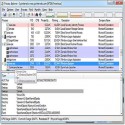
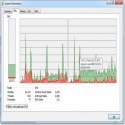
The Process Explorer display consists of two sub-windows. The top window always shows a list of the currently active processes, including the names of their owning accounts, whereas the information displayed in the bottom window depends on the mode that Process Explorer is in: if it is in handle mode you ll see the handles that the process selected in the top window has opened; if Process Explorer is in DLL mode you ll see the DLLs and memory-mapped files that the process has loaded. Process Explorer also has a powerful search capability that will quickly show you which processes have particular handles opened or DLLs loaded. Process Explorer 17.0.6 Download Microsoft CorporationTotal downloaded program :69ToolsSystem Tools Tags: www.downloadbak.com, , Editor's rating out of 5 stars (4) So what do you think?