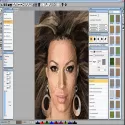
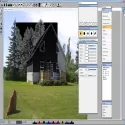
Includes real-time 3D brushing and instant shading, as well as new distortion methods and facial distortions. Can perform ornamental, iterative and textured drawing with various brush types / shapes. Pixopedia XE also has fast filters, special filters, combined filters, crimp, different color rendering and adjustment techniques. It also includes color bending, image processing using IPP, and OpenCV. Pixopedia XE64 also includes fast luaJIT plug-in scripts via an integrated Lua Image Processing System (LIPS). Convolutional neural network style transfer as well as OpenCV facepiece, multi-fold shadow wheel and full image analysis tool. This version of Pixopedia has a scratch-written graphics package, a new drawing engine with various brushes and strokes, and an automatic brushing tool to simulate multiple painting styles from the photo. Pixopedia XE64 includes support for various image types. There's also support for a new ImageMagick plug-in that can be downloaded separately. The 32-bit Pixopedia version still comes with the old (single dll) ImageMagick plugin. If you want to use the latest version, you need to delete the imagemagick.dll file from the Pixopedia folder. Pixopedia XE
Features: Added possibility to insert / remove from right stick tools: double clicking on top header to detach / embed active tool. Browsing and loading the stamp brush has been changed to a more user-friendly mode. Stamp brushes can be rotated. The selected stamp brush can be rotated instantly using a fixed angle (twitch, cumulative +, cumulative -) or a dynamic angle (follow the stroke). Blurry brush tip was added to procedure brushes using static brush tip (straight, feathered, parallel). Added new brush type: pump brush. Similar to image title but works with stamp brush collection packed in a single file. Load from file option has been added to auxiliary images. If an image has an alpha channel, the alpha channel will be used as the mask. Moved under the radio group in steps with Spread action-> Contour warp-> Color picker mode-> Brush color scheme mode.
Pixopedia XE 2020.07 Download
SigmaPi DesignTotal downloaded program :9
Graphic Multimedia
Picture editör
Tags: , advanced photo editing program, photo filtering, Editor's rating out of 5 stars (5) So what do you think?