
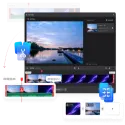


MiniTool Video Converter is an advanced, free all-in-one media solution for converting and editing media files and recording your computer screen.
With its clean, ad-free interface and watermark-free output option, it gives you complete control over your video and audio files.
Powered by advanced hardware acceleration support (NVIDIA, Intel, AMD), the program allows you to convert even large files at lightning speed without sacrificing quality.
Key Features
1000+ Format Support: You can cross-convert between thousands of video and audio formats, including MP4, MOV, MKV, AVI, WMV, M4V, MP3, WAV, AAC, and FLAC.
Batch Conversion: Save time by adding multiple video or audio files to the list at the same time and converting them all in one click.
Built-in Screen Recorder: Record your entire desktop or a specific area (including system audio and microphone) in up to 4K quality, with no time limit and no watermark.
AI Tools: You can use modules such as speech transcription (AI Transcription) and AI video enhancer to clarify and improve the resolution of low-quality videos.
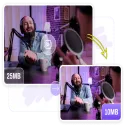
Video Compression (Compressor): You can reduce the size of your video files and make them shareable while minimizing quality loss.
Video Cutting and Merging: You can trim unwanted parts of your videos or combine different clips into a single video file with natural transitions.
Custom Device Profiles: Thanks to pre-designed conversion profiles specifically for iPhones, iPads, Android phones, Samsung, Huawei, or game consoles, you can choose the most suitable format for your device without dealing with technical details.
Why should you choose MiniTool Video Converter?
No Watermark: It does not add unsightly logos or watermarks to the videos you create or convert.
100% Safe and Clean: The installation package contains no adware, viruses, or extra unwanted toolbars.
Easy to Use: Thanks to its simple and modern interface, even users without technical knowledge can complete their tasks in seconds.
Dark and Light Theme Support: You can switch between eye-friendly Dark Mode or classic Light Mode as you wish.
System Requirements
Operating System: Windows 11, Windows 10, Windows 8.1, Windows 7 (64-bit / 32-bit)
Processor: Intel / AMD 1 GHz and above processor
Memory (RAM): Minimum 2 GB RAM (4 GB or higher recommended)
Graphics Card: Intel HD Graphics 5000, NVIDIA GeForce GTX 700, AMD Radeon R5 or higher (for hardware acceleration)
Storage: 500 MB of free disk space for installation.
Editor's Review
MiniTool Video Converter is a true price/performance (free) powerhouse, offering both lightweight design and extra features like screen recording and video compression, compared to the complex and paid converters on the market. It's especially ideal for users who want to convert formats and record their desktop using a single program.
MiniTool Video Converter 6.0.0 Download
MiniToolTotal downloaded program :0 Graphic Multimedia Video
Tags: , video converter for windows, iTop Screen Recorder, Free Video Program, Editor's rating out of 5 stars (5) So what do you think?


