
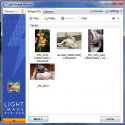
Resize pictures or you can use as a batch image converter to easily convert into different formats.
Select your output resolution, create a copy, resize the original, move and/or rename files, or compress them and choose a specific destination for your processed images.
Work on individual photos or edit large numbers of images by simply doing a batch resize in just one click.Add your own watermark to protect your work or add a copyright to photos with html-like text formatting and transparency support. Customize pictures by converting them to sepia or add a border. Use the live preview to see what the final result will look like before actually processing the image. The ObviousIdea Picture Resizer/Photo Resizer works on files, folders and subfolders, and supports RAW formats. With multi-core support integrated, you can convert images even faster. Launch the application easily from Windows shell explorer with a right click on the image or folder.
Light Image Resizer 6.1.3.0 Download
Obvious IdeaTotal downloaded program :119 Graphic Multimedia Picture view
Tags: Light Image Resizer download, , , Editor's rating out of 5 stars (4) So what do you think?