
IntelBurnTest
CPU testing program
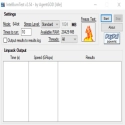
Remember, you use this program at your own risk. By using this program, you agree that neither I nor Intel will be responsible for anything including burnt CPU, burnt motherboard, sudden increase in room temperature, hair loss or mental stress.
Xtreme Stress Mode (right-click the Start button) provides an unprecedented increase in test sensitivity.
Note: Xtreme Stress Mode may cause the CPU to get hotter than it already is. Windows may not be available during testing.
Benefits of using Linpack:
More accurate than Prime95 Small FFTs/Blend (under x64 OS).
It takes less time than Prime95 to figure out if your CPU/RAM is stable (usually 8 minutes under Linpack vs 40 hours under Prime95).
Use the same stress testing engine they use to test Intel products before they hit shelves.
Benefits of using IntelBurnTest:
Linpack simplifies its use.
Displays results on the screen in real time.
It simplifies the process of selecting the test size to use.
It offers a better view.
User-friendly interface.
Real-time error checking.
System status confirmation.
IntelBurnTest 2.54 Download
AgentGODTotal downloaded program :0 Tools System Tools
Tags: , CPU testing program, Editor's rating out of 5 stars (5) So what do you think?

nVIDIA GeForce Driver
GeForce video card driver

