
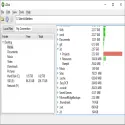
This is a free and useful program that lets you quickly and easily find out how much space each directory on your hard drives is taking up. When you open the program, your hard drives and CD/DVD drives are listed on the left side.
For example, when you click on your C: drive and wait a moment (until the red S-shaped icon at the top disappears), all the directories on your drive and the space they occupy are displayed. You can sort them from largest to smallest or vice versa by clicking on the "Size" column. Clicking the "+" symbols to the left of the directory names shows the subdirectories and the size of the space they occupy. You can right-click on a listed directory name to browse it, or delete its contents or the directory entirely. With this program, you can easily see which directories are taking up too much space on your computer and identify unnecessary files and directories.
i.Disk 2.5 Download
idiskTotal downloaded program :55 Tools File operation
Tags: disk information for windows, i.Disk download, Editor's rating out of 5 stars (3) So what do you think?


