

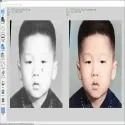
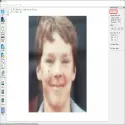
HandyViewis a free, open-source (MIT-licensed) image viewing software developed by Xintao Wang (xinntao) using Python and PyQt5. It is specifically designed to examine pixel-level details of images and to compare multiple images side by side.
Key Features:
Transition with Fixed Zoom Ratio: Maintains the zoom level and position you set when switching between different images in a folder, allowing you to compare image processing, AI enhancements, or design differences with a single click.
Multiple Comparison Modes: Allows you to make detailed comparisons by opening multiple images side by side at the same time in two-column or three-column view modes.
Pixel and Color Analysis: Instantly displays the exact coordinates and color values (RGB, etc.) of the point where the mouse cursor is located on the screen.
Rectangle Drawing and Cropping: By drawing rectangular areas on the image, you can view the start/end coordinates and easily crop and examine specific regions.
Detailed Image Information and Platform Support: Provides technical information such as file path, resolution dimensions (shape), file size, color type, and zoom ratio; can be used in Windows (ready-to-run ZIP), macOS (DMG), and Linux (Python/Ubuntu) environments.
HandyView 1.0.2 Download
xinntaoTotal downloaded program :1 Graphic Multimedia Picture view
Tags: , visual comparison program, image viewer software, HandyView download, Editor's rating out of 5 stars (5) So what do you think?
