
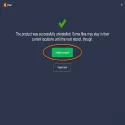
It is sometimes not possible to uninstall Avast using the standard method using ADD/REMOVE PROGRAM in the control panel. In this case, you can use our avastclear removal utility.
Download the avastclear file to your desktop.
Start Windows in Safe Mode.
Open (execute) the uninstall utility.
If you installed Avast in a different folder than the default, browse to find the file. (Note: Be careful! The contents of the folder you selected will be deleted!)
Click REMOVE.
Restart your computer.
Avast Clear 25.1.9816 Download
Avast Software s.r.o.Total downloaded program :2 Tools Different
Tags: , avast uninstaller, Editor's rating out of 5 stars (5) So what do you think?


