

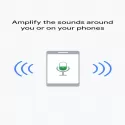

Sound Booster improves the sound from your Android device using a headset to increase listening clarity.
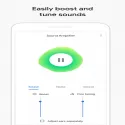
Use Sound Booster to filter, amplify and amplify the sounds around you and on your device. Voice Booster boosts important sounds like conversations without overpowering distracting sounds. You can quickly customize sound enhancement and reduce background noises with two simple sliders. It can be used on devices with Android 6.0 and higher. To start using Sound Booster, connect your headphones (wired or Bluetooth), then go to Settings> Accessibility> Sound Booster. Features • Boost important sounds and reduce unwanted or distracting noises around you and on your device. • Listen to conversations. Use a Bluetooth headset to help you hear things like TV or lectures. (Sound transmission may be delayed in Bluetooth headsets.) • Filter, amplify, and amplify the video and sound played on the phone. (Available on Pixel phones with Android 10, December 2019 or newer system update.) • Personalize your listening experience by adjusting audio or microphone settings with an easy-to-use interface. • See what's happening around you with audio visualization.
Sound Amplifier 3.0.344165751 Download
Google LLCTotal downloaded program :2 mobil android -productivity
Tags: android için dış sesleri filtreleme, , filtering external voices for android, Editor's rating out of 5 stars (5) So what do you think?


