
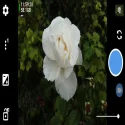
The default camera apps on our smartphones sometimes fail to meet our expectations. Especially for users who want full access to manual settings or want to utilize their device's hardware power to the fullest, Open Camera stands out as one of the most powerful open-source alternatives in the Android world.
Completely free, open-source, and most importantly, ad-free, this app is a must-have tool for anyone interested in mobile photography and videography.
Key Features of Open Camera
Open Camera has several technical details that set it apart from other popular camera apps:
Automatic Alignment: No matter how tilted you hold the camera while taking photos, the "auto-level" feature ensures your images always look perfectly level.
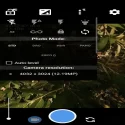
Full Manual Control: Provides complete control over ISO, exposure compensation, focus, white balance, and shooting modes. Offers access to manual focus and deeper adjustments on devices with Camera2 API support.
Advanced Video Settings: Professional settings are available for video recording, including frame rate (FPS), bitrate, and even external microphone support.
Remote Control Options: Thanks to the voice (clapping or a specific command) or timer-based photo-taking feature, no one has to be left out of group photos.
HDR and RAW Support: You can use HDR mode for scenes with high dynamic range, or save your photos in RAW (DNG) format for later editing.
Open Camera 1.56.2 Download
Mark HarmanTotal downloaded program :0 mobil android -Photography
Tags: , High-quality camera app for Android., Editor's rating out of 5 stars (5) So what do you think?


