


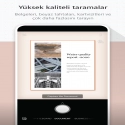
In addition to cropping and enhancing, Microsoft Lens makes images of whiteboards and documents readable.
You can use Microsoft Lens to convert images to PDF, Word, PowerPoint, and Excel files, digitize printed or handwritten text, and save files to OneNote, OneDrive, or your local device. You can also import images already on your device using Gallery.
PRODUCTIVITY AT THE WORKPLACE???
• Scan and upload all your notes, receipts and documents
• Take a picture of the whiteboard at the end of the meeting to keep track of these action items
• Scan printed text or handwritten meeting notes to edit and share later
• Easily access contacts in your business network by scanning and saving business cards to your contact list
• Save to PDF, Image, Word or PowerPoint formats to locations such as OneNote, OneDrive or local device
PRODUCTIVITY IN SCHOOL?
• Scan class materials and annotate them in Word and OneNote
• Scan handwritten notes to digitize and edit later (works in English only)
• Take a picture of the whiteboard or slate for later reference, even if you're offline
• Keep your class notes and your own research organized with seamless OneNote integration
Microsoft Lens 16.0.16827.20036 Download
Microsoft CorporationTotal downloaded program :1 mobil android -Tools
Tags: , convert images to pdf, Editor's rating out of 5 stars (5) So what do you think?


