


For Photos That Will Take Social Media by Storm: The Best Photo Editor and Filter App
Today, the secret to having a stunning social media profile lies in high-quality visuals. Transforming an ordinary landscape photo or a simple selfie into a work of art is now much easier than you think! Instead of spending hours with complex editing programs on your computer, you can achieve professional results with just a few taps on your phone.
And that's where you come in, to a fantastic mobile app that will turn your smartphone into a portable photo studio: Photo Editor & Filters for Pictures.
Why Choose This Photo Editing App?
Although there are hundreds of photo editing apps on the market, this app stands out with its rich filter interface and user-friendly structure. Let's take a closer look at the standout features of this app, which is poised to become a favorite for both amateurs and content creators:
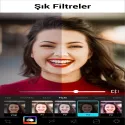
1. Trend-Setting Unique Filters and Effects
From classic retro vibes to modern neon lights, from aesthetic pastel tones to the elegance of black and white, hundreds of different filter options await you. You can change the atmosphere of your photo with a single touch and instantly keep up with Instagram and TikTok trends.
2. Advanced Editing Tools (Fine Tuning)
For those who think filters alone aren't enough, the app offers detailed color and light management.
Brightness, contrast, saturation, and sharpness settings,
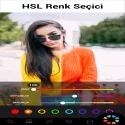
Highlighting specific colors with the HSL color panel,
With professional tools like light leak and grunge effects, you have complete control.
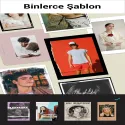
3. Collage Maker and Design Templates
For those who want to combine multiple memories in a single image, there are fantastic collage modules available. Thanks to various grid designs, background patterns, and adjustable borders, your stories will look more aesthetically pleasing than ever before.
4. Practical Cutting, Turning, and Sizing
You can crop your photos for platform-specific formats (1:1 Instagram square, 9:16 Story format, etc.), correct distortions, and make vertical/horizontal adjustments.
Advantages and Disadvantages of the Application
Like any application, this editor has its strengths and weaknesses. Here's a brief summary to help you decide:
Advantages (Pros) Disadvantages (Cons)
User-Friendly Interface: No complex menus, everything is at your fingertips. The free version may occasionally display ads.
High-Resolution Output: Saves photos without compromising quality. Some very specific filters may require a premium membership.
Low Storage Space: Doesn't strain the phone or cause lag.
AI Photo Editor - Lumii 3.051.218 Download
InShot Video EditorTotal downloaded program :0 mobil android -Photography
Tags: , Photo Editor and Filter App for Android, Editor's rating out of 5 stars (5) So what do you think?


